A new GTA 5 playthrough can get predictable fast: same mission routes, same police escapes, same locked buildings, same traffic patterns. The right mod setup changes both how the game looks and what you actually do between story missions. You do not need 80 random downloads or a giant graphics stack to get a new run. A better setup adds new interiors, denser world activity, sharper police pressure, more side missions, gang systems, and vehicles that never made it into Story Mode.
This guide covers the best GTA V mods to try in 2026, with picks for replaying the campaign, building a sandbox save, or preparing a lighter setup before jumping into FiveM.
Quick comparison: top GTA 5 mods by playstyle
|
Mod |
Best for |
What it changes |
Install complexity |
Best use case |
|
Flagship graphics upgrade |
Lighting, shadows, weather, city atmosphere |
Low via ModsHub |
One of the best GTA V mods for visual upgrade in 2026 |
|
|
Clean realistic visuals |
Lighting, reflections, color balance |
Low via ModsHub |
Practical graphics base for long sessions |
|
|
Ready-made modpack |
Visuals, effects, combat feedback, performance tuning |
Low via ModsHub |
Full starter pack without manual file hunting |
|
|
Busier Story Mode |
Traffic, peds, vehicles, world activity |
Medium |
Replay with a more active city |
|
|
Exploration |
Locked buildings and interiors |
Low to medium |
Free roam, screenshots, and RP-style scenes |
|
|
FiveM PVP |
Scopes, tracers, combat visibility, FPS-focused changes |
Low via ModsHub |
Cleaner combat sessions on FiveM |
|
|
Extra missions |
Heists, contracts, protection jobs, stealth tasks |
Medium |
More objectives after the campaign |
|
|
Full gameplay twist |
Roguelite survival loop, abilities, combat runs |
Medium |
Top GTA 5 mod to add a new gaming mode |
Best GTA V mods for a fresh 2026 run
Start with a strong visual base, then add mods that change your route through the game. Graphics make the first drive feel newer, while missions, interiors, traffic, PVP packs, and gameplay twists keep the run interesting after that.
If you want to compare visual upgrades before choosing your first download, check our guide to GTA 5 graphics mods and how they affect visuals, FPS, and setup difficulty.
Ray Fusion Remastered
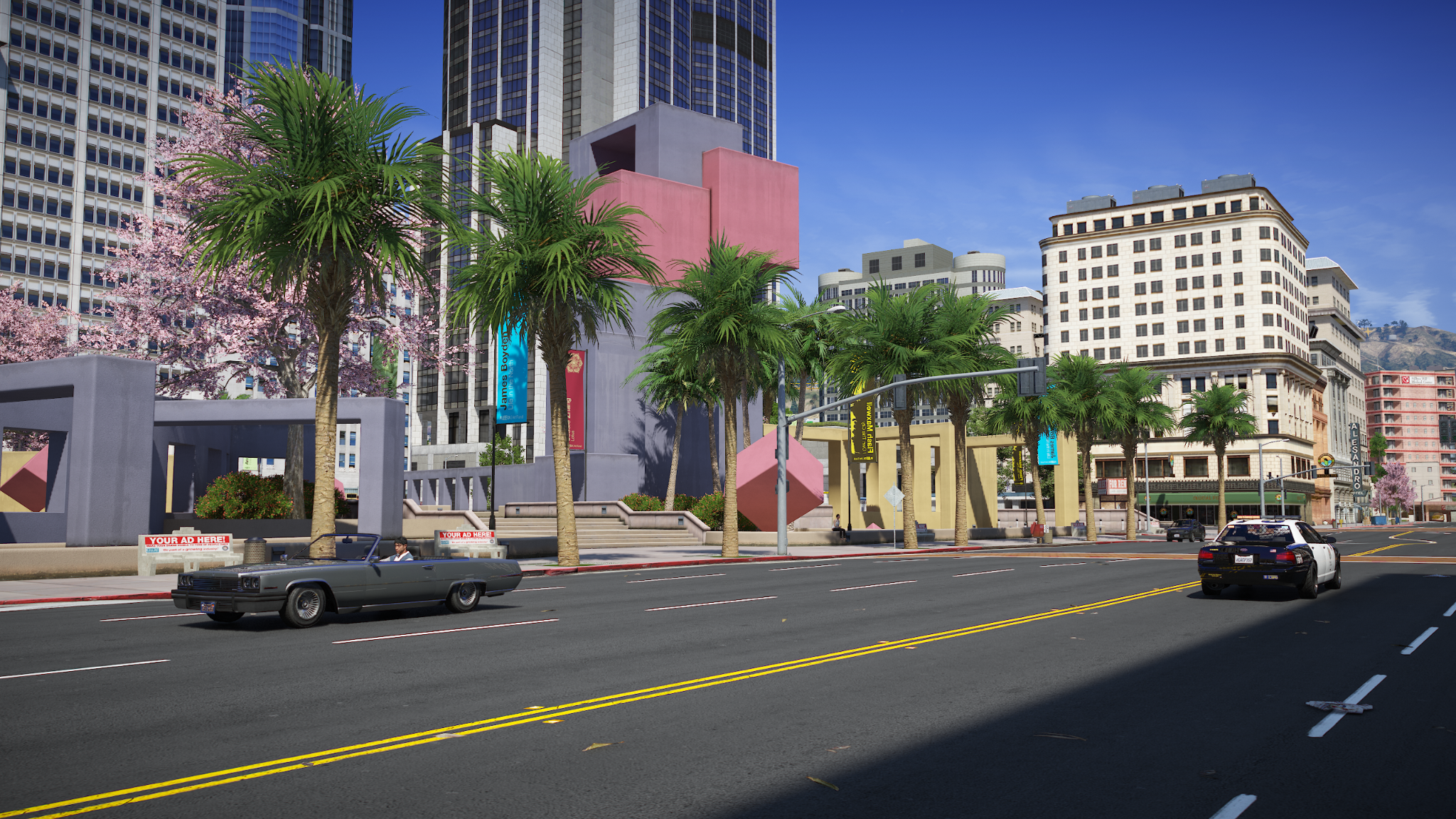
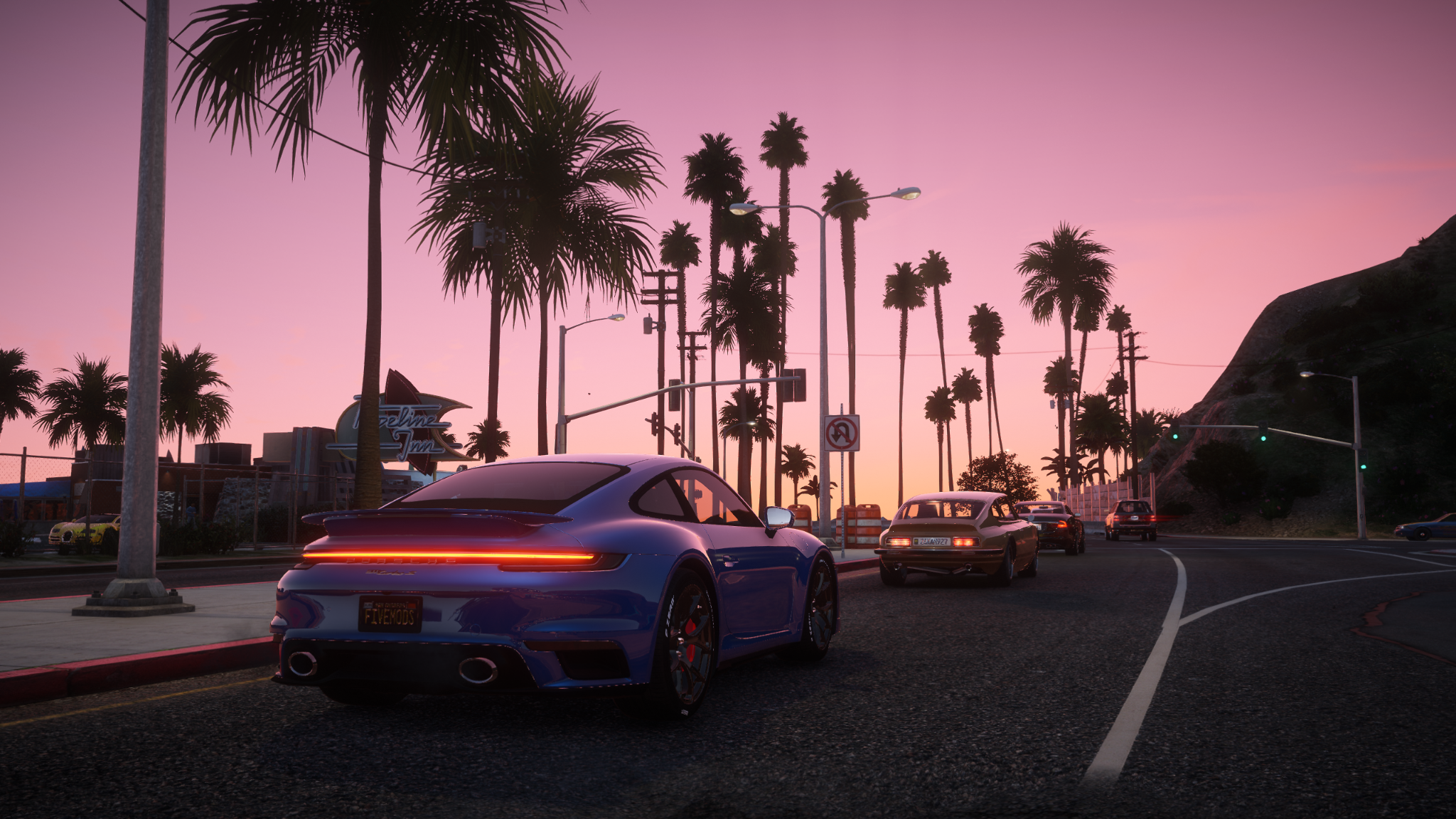
Ray Fusion Remastered should lead the list because it changes what players notice immediately: how the game looks in motion. It is one of the best GTA V mods for a cleaner, sharper 2026 setup.
What it does:
- Improves lighting, shadows, and weather mood;
- Gives streets, cars, and city scenes a more polished look;
- Works as a strong visual base before adding gameplay mods;
- Keeps installation easier through the ModsHub library.
Use it as the visual base before adding missions, gangs, or police upgrades. Install it first, test FPS, then build the rest of the list around it.
Best for: players who want a flagship graphics upgrade before adding missions, gangs, or police mods.
 Prismatic Vision 2.0
Prismatic Vision 2.0 is a strong pick if you want realistic lighting and color. It focuses on a cleaner visual style for everyday driving, city scenes, and roleplay moments.
What it does:
- Improves lighting and color balance;
- Makes daytime and nighttime scenes feel cleaner;
- Gives the game a realistic look;
- Works well as a flexible base for a wider mod setup.
This is the safer visual pick if you want GTA 5 to look upgraded but still easy to play. It gives the setup a modern look without overloading every scene.
Best for: players who want realistic visuals, cleaner color, and a practical graphics base.
West Coast Redux Pro
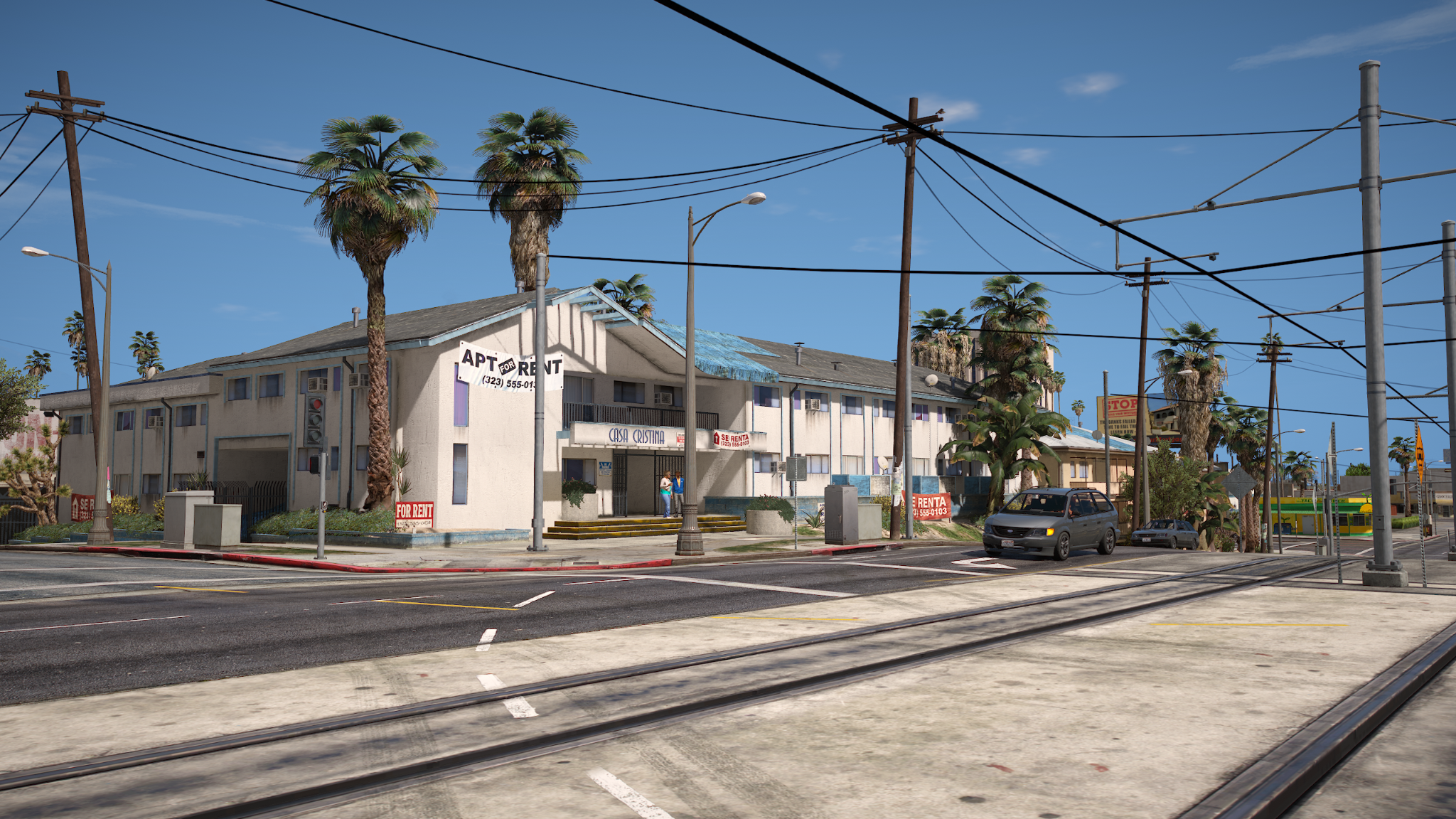
West Coast Redux Pro is a ready-made pack for players who want visuals, effects, and combat feedback in one install. It deserves a top GTA 5 mods spot because it upgrades several layers of the game at once.
What it does:
- Combines visual upgrades with performance-focused tuning;
- Improves street lighting, emergency lights, hit effects, and weapon feedback;
- Adds a sharper West Coast-style look to regular gameplay;
- Works well for players who want a modpack instead of single-file hunting.
Use it when you want a fuller setup without collecting separate files manually. It gives a new playthrough a stronger style without making you assemble every piece by hand.
Best for: players who want a curated visual and performance pack from ModsHub.
World of Variety
World of Variety makes Los Santos busier during regular play. It adds more variety to traffic, pedestrians, vehicles, emergency services, and ambient world behavior, so the city feels less predictable between missions.
What it does:
- Adds more variety to pedestrians and traffic;
- Brings extra vehicles and world activity into Story Mode;
- Makes free roam feel less static;
- Gives a new campaign save a better city baseline.
Best for: players who want Los Santos to feel more active without changing the main story.
Enable All Interiors
Enable All Interiors opens buildings that the vanilla game normally keeps locked. It also makes exploration feel more rewarding. If you grew up wishing GTA III, Vice City, or San Andreas had more buildings you could actually enter, this mod brings that old open-world dream much closer.
What it does:
- Unlocks more interiors across the map;
- Adds more places to visit during free roam;
- Helps custom scenes feel less limited;
- Gives exploration-focused players more reasons to stop driving.
It is a top GTA 5 mod for players who always feel like the game should have more places to enter, explore, and use.
Best for: exploration, screenshots, casual RP scenes, and free roam players.
https://img.gta5-mods.com/q95/images/enable-all-interiors-wip/cc7c8c-EnableAllInterior.jpg
PVP Essentials Modpack
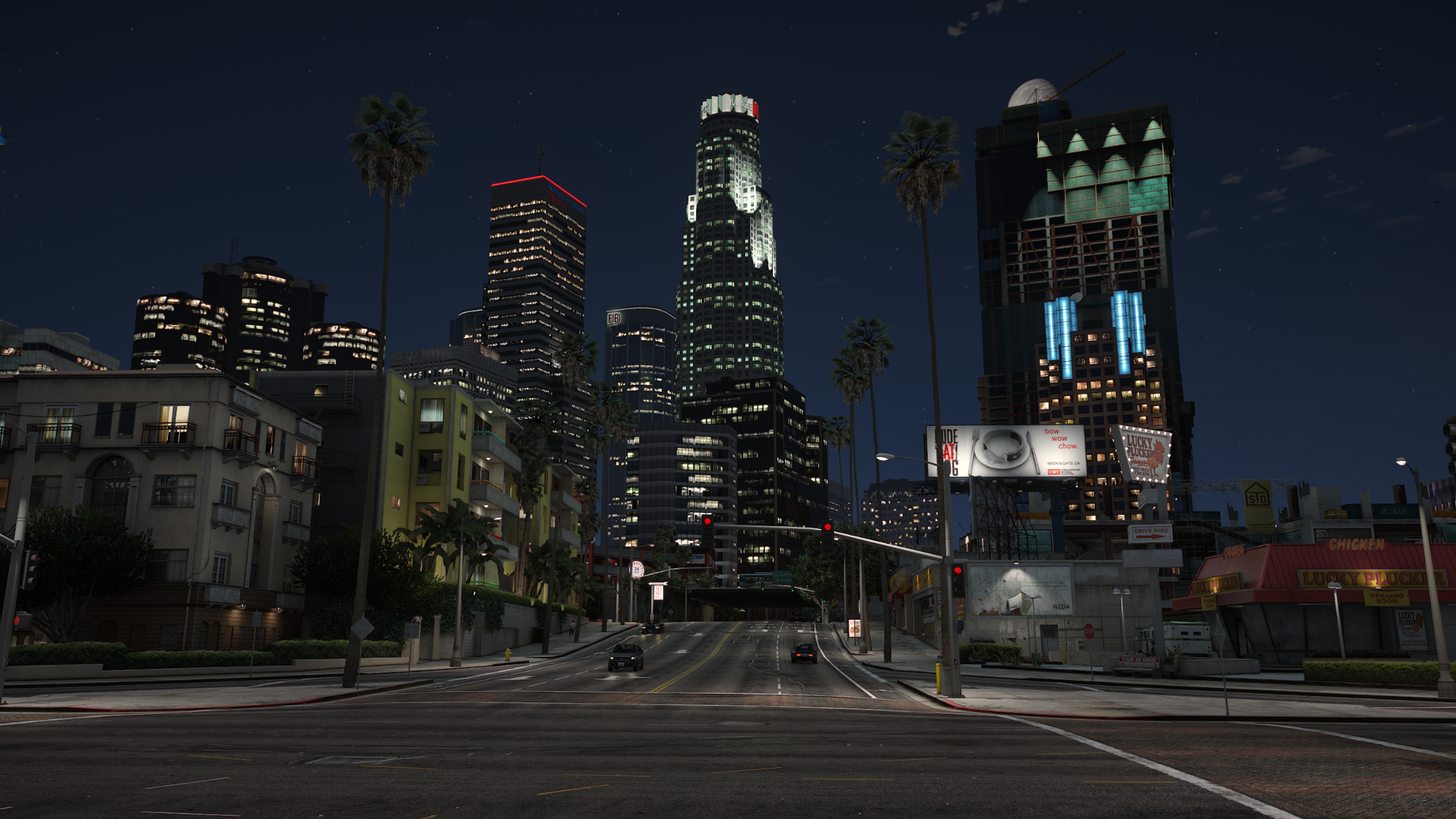
PVP Essentials Modpack is the FiveM pick for cleaner fights and smoother combat sessions. It focuses on visual clarity during active PVP.
What it does:
- Reduces visual distractions;
- Improves visibility with cleaner scopes, tracers, and combat feedback;
- Supports smoother PVP sessions;
- Fits FiveM players.
Download this GTA mod if you spend more time in FiveM gunfights than in Story Mode free roam.
Best for: FiveM players who want cleaner PVP visuals and better combat readability.
The Red House
The Red House adds structured jobs for players who want more objectives after the main campaign. It includes heists, contracts, protection work, stealth tasks, and assassination-style missions.
What it does:
- Adds new mission types;
- Creates more ways to earn money;
- Gives post-story saves clearer goals;
- Supports shorter play sessions with direct objectives.
It is a top GTA 5 mod choice if you want more playable content.
Best for: players who want extra missions after replaying the campaign.
Complex Control
Complex Control is the wild card. It turns GTA 5 into a roguelite survival mode with shrinking zones, enemy encounters, character abilities, and repeatable combat runs.
What it does:
- Adds a survival-style gameplay loop;
- Gives characters special abilities;
- Changes how you move through the map;
- Creates a separate mode inside GTA 5.
Install this when the campaign no longer surprises you and you want a new ruleset inside the same map. It is one of the best GTA V mods for players who want a full gameplay twist.
Best for: replay value, combat challenges, and players who want a new mode.
PC setup and stability notes
Most gameplay and script mods do not need a high-end GPU, but they can stress your CPU, RAM, and game stability if you stack too many at once. Keep your setup simple before adding heavier packs.
|
Setup type |
CPU |
GPU |
RAM |
Storage |
Best for |
|
Basic script setup |
Intel i5-8400 / Ryzen 5 2600 |
GTX 1060 / RX 580 |
16 GB |
SSD |
Interiors, missions, light scripts |
|
Heavy gameplay setup |
Intel i7-12700K / Ryzen 7 5800X |
RTX 3060 / RX 6700 XT |
32 GB |
NVMe SSD |
Multiple scripts, vehicle packs, denser world mods |
|
FiveM-focused setup |
Strong 6-core CPU or better |
6-8 GB VRAM GPU |
16-32 GB |
SSD |
RP servers, custom assets, server-side mods |
For FiveM, your server matters as much as your PC. A light local setup can run fine, while a busy RP server with custom vehicles, interiors, and scripts can push performance much harder.
If your FPS drops before you even add more mods, start with our guide to FiveM settings to boost FPS before expanding the setup.
Safe install order for GTA 5 mods
The safest way to download and install GTA mods is to build your setup in small steps. Add one mod/modpack, launch the game, test for five minutes, then continue.
Simple ModsHub method:
- Launch the ModsHub App.
- Select your GTA 5 installation and find the mod you want to add.
- Use one-click install.
- Run Story Mode first and check stability before expanding the setup.
Or use this manual method if you want even more control:
- Back up a clean GTA 5 folder.
- Read the mod author’s installation notes to check whether the mod needs OpenIV, Script Hook V, or extra dependencies.
- Install one community mod at a time.
- Test it in Story Mode before adding the next mod.
Avoid official GTA Online with modded files. If you want multiplayer modding, use FiveM and follow the rules of the server you join.
Final pick: where should you start?
Start with Ray Fusion Remastered if you want the biggest visual change right away. Choose Prismatic Vision 2.0 if you prefer cleaner realistic graphics for longer sessions, or West Coast Redux Pro if you want a ready-made ModsHub pack with visuals, effects, and performance-focused tuning in one setup.
After that, add gameplay mods based on how you want the next run to feel. World of Variety makes Story Mode busier, Enable All Interiors adds more places to explore, The Red House brings extra missions, and Complex Control turns GTA 5 into a different kind of combat challenge. If you spend more time on FiveM, PVP Essentials Modpack is the practical pick for cleaner fights and better combat readability.
Ready to make your next playthrough feel less predictable? Download GTA mod in ModsHub, check how it changes your save, then add missions, vehicles, or police upgrades from there.
 There is a specific skill involved in explaining something clearly — one that is completely separate from actually knowing the subject. jn_volcano has both. They has spent years working with insider knowledge in a hands-on capacity, and an equal amount of time figuring out how to translate that experience into writing that people with different backgrounds can actually absorb and use.
jn_volcano tends to approach complex subjects — Insider Knowledge, Competitive Gaming Gear Reviews, Pro-Level Gaming Optimization Tips being good examples — by starting with what the reader already knows, then building outward from there rather than dropping them in the deep end. It sounds like a small thing. In practice it makes a significant difference in whether someone finishes the article or abandons it halfway through. They is also good at knowing when to stop — a surprisingly underrated skill. Some writers bury useful information under so many caveats and qualifications that the point disappears. jn_volcano knows where the point is and gets there without too many detours.
The practical effect of all this is that people who read jn_volcano's work tend to come away actually capable of doing something with it. Not just vaguely informed — actually capable. For a writer working in insider knowledge, that is probably the best possible outcome, and it's the standard jn_volcano holds they's own work to.
There is a specific skill involved in explaining something clearly — one that is completely separate from actually knowing the subject. jn_volcano has both. They has spent years working with insider knowledge in a hands-on capacity, and an equal amount of time figuring out how to translate that experience into writing that people with different backgrounds can actually absorb and use.
jn_volcano tends to approach complex subjects — Insider Knowledge, Competitive Gaming Gear Reviews, Pro-Level Gaming Optimization Tips being good examples — by starting with what the reader already knows, then building outward from there rather than dropping them in the deep end. It sounds like a small thing. In practice it makes a significant difference in whether someone finishes the article or abandons it halfway through. They is also good at knowing when to stop — a surprisingly underrated skill. Some writers bury useful information under so many caveats and qualifications that the point disappears. jn_volcano knows where the point is and gets there without too many detours.
The practical effect of all this is that people who read jn_volcano's work tend to come away actually capable of doing something with it. Not just vaguely informed — actually capable. For a writer working in insider knowledge, that is probably the best possible outcome, and it's the standard jn_volcano holds they's own work to.