
If you’re searching for ways to improve your performance in competitive games, chances are you’ve realized that skill alone isn’t enough. Your environment plays a massive role in reaction time, focus, and long-session consistency. This guide is built specifically to help you create a distraction-free gaming setup that supports peak performance, sharper decision-making, and better in-game results.
We break down the essential elements that actually matter—desk layout, monitor positioning, lighting control, audio clarity, hardware optimization, and mental focus triggers—without wasting time on unnecessary upgrades or hype-driven gear. Whether you’re grinding ranked ladders or preparing for tournament play, you’ll learn practical adjustments used in competitive esports environments to reduce distractions and maximize efficiency.
Every recommendation is grounded in proven gaming fundamentals, performance optimization principles, and real competitive strategy insights—so you can build a setup that doesn’t just look good, but actively improves how you play.
Every gamer knows the pain of losing a clutch round to a buzzing phone or tangled cable. One split-second distraction, and victory slips away.
This guide gives you a complete, actionable blueprint for building a distraction-free gaming setup that sharpens your edge. We cover physical layout, digital hygiene, and mental conditioning so you can lock in when it matters.
The payoff? More wins, faster reactions, deeper immersion. When your environment works for you, focus becomes effortless and consistency follows. Instead of fighting clutter or notifications, you channel pure attention into strategy and execution.
Engineer your space, silence the noise, dominate.
Mastering Your Physical Space: The Foundation of Focus
Ergonomics as a Performance Tool
An uncomfortable chair isn’t just annoying—it’s a performance leak. Poor ergonomics (the science of designing a workspace to fit your body) create constant, low-level distractions that drain focus over time. A monitor that’s too low strains your neck; one that’s too high tires your eyes. Set your screen so the top third is at eye level, keep feet flat on the floor, and maintain a 90-degree bend in your elbows. The benefit? Less fatigue, faster reaction times, and longer high-performance sessions without burnout. (Your spine will thank you tomorrow.)
The War on Wires
Visual clutter increases cognitive load—the mental effort required to process your environment (Princeton Neuroscience Institute). Tangled cables subtly signal chaos, even if your gameplay is sharp. Use simple Velcro ties for quick wins or install an under-desk cable tray for a cleaner look. A tidy desk supports a distraction-free gaming setup and sharper decision-making under pressure. Pro tip: label your cables before routing them—you’ll save time during upgrades.
Controlling Light and Sound
Glare forces your eyes to constantly adjust, reducing visual clarity. Position lighting behind your monitor or use blackout curtains to eliminate reflections. For sound, noise-canceling headsets or basic foam panels block interruptions before they break immersion. The payoff is deeper focus and fewer costly misplays.
The ‘Within-Reach’ Rule
Keep essentials—water, controller, keyboard—within natural reach. Every unnecessary lean breaks posture and visual lock. Tight setup, tighter gameplay. The advantage is simple: smoother flow, faster inputs, better results.
Taming the Digital Noise: System-Level Optimization
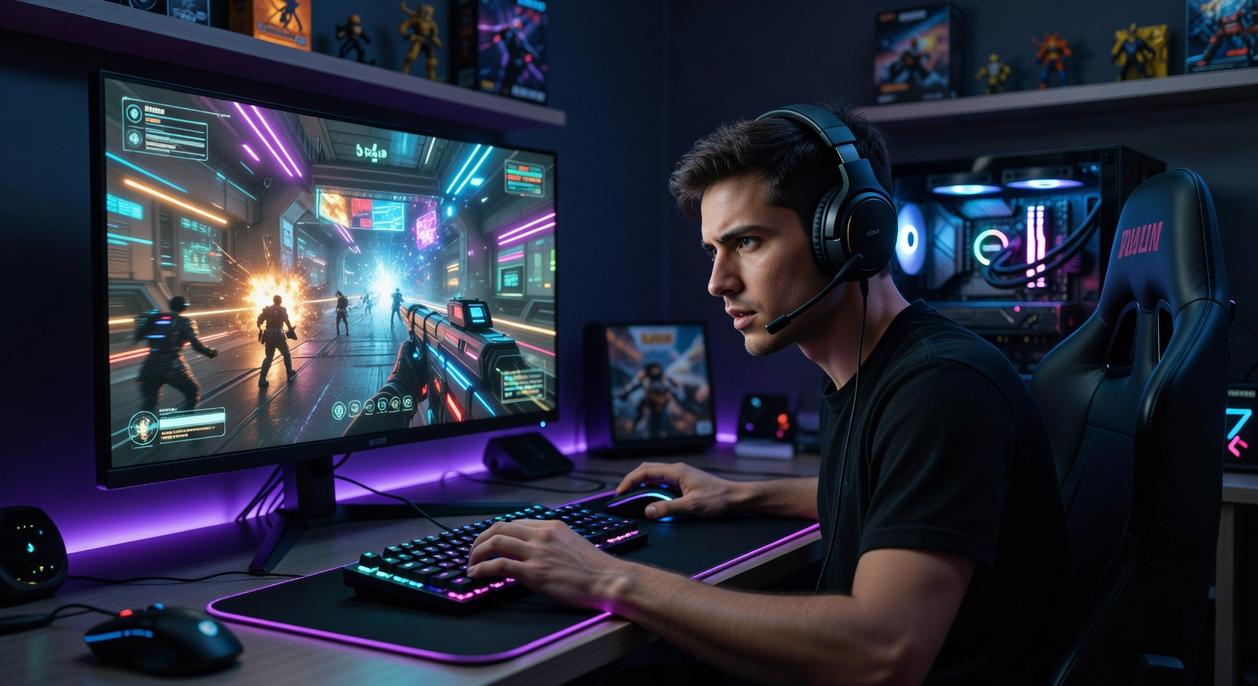
You know the feeling. You’re mid-clutch, heartbeat thudding in your ears, the faint hum of your GPU in the background—and then ping. A Discord meme. A Steam sale. Your immersion shatters like glass.
Let’s fix that.
Notification Annihilation
First, activate system-level silence.
Windows (Focus Assist):
- Open Settings → System → Focus Assist.
- Select Alarms only.
- Under Automatic rules, enable during specific hours or when duplicating displays.
macOS (Do Not Disturb):
- Open System Settings → Focus.
- Select Do Not Disturb.
- Set a schedule or allow only essential apps.
Next, disable launcher pop-ups.
- Discord: User Settings → Notifications → Disable desktop notifications and sounds. (Yes, even that one server.)
- Steam: Settings → Notifications → Uncheck friend activity and wishlist alerts.
- Other launchers like Epic or Battle.net offer similar notification toggles under Settings.
Some argue notifications help you stay connected. Fair. But during ranked? Connection can wait; reaction time can’t. Studies show task-switching reduces productivity by up to 40% (American Psychological Association).
The Background Process Purge
Before launching a game:
- Press Ctrl + Shift + Esc.
- Open Task Manager.
- Sort by CPU or Memory.
- End non-essential apps (right-click → End Task).
Look for browsers with 27 tabs (we’ve all been there), auto-updaters, and RGB controllers running wild. Fewer background processes mean smoother frames and fewer stutters. For deeper tuning, revisit how to optimize pc settings for maximum fps in competitive games.
In-Game Settings for Serenity
Inside your game, disable:
- Friend online alerts
- Achievement pop-ups
- Overlay notifications
Notice how the screen feels cleaner? The soundscape sharper? That’s focus reclaiming territory.
Dual Monitor Discipline
Your second monitor should be a tool, not a toy. Acceptable: comms apps, performance metrics. Distractions: social feeds, autoplay videos, endless Reddit scrolls.
Create a dedicated workspace—minimal windows, dark backgrounds, no clutter. A true distraction-free gaming setup isn’t sterile; it’s intentional. (Think monk mode, but with RGB.)
Because in competition, silence isn’t empty—it’s powerful.
Forging Mental Fortitude: The Ultimate Optimization
Mental fortitude simply means the ability to stay focused, calm, and effective under pressure. In esports, that edge often starts before the match even loads.
The Pre-Game Ritual
First, build a consistent pre-game ritual. This could be five minutes of hand stretches, a short aim drill, or even one specific playlist. A ritual acts as a mental “loading screen,” signaling to your brain that it’s time to compete, not scroll social media. Over time, this routine becomes a psychological trigger (think Pavlov, but with better mechanics). As a result, you shift from everyday mode into performance mode faster.
Managing Internal Distractions
However, even strong players struggle with “tilt.” Tilt is emotional frustration that leads to worse decisions after a mistake. To counter it, use the “breathe and reset” method: inhale for four seconds, exhale for four, unclench your jaw, and rest your hands briefly. This interrupts the stress response and prevents one bad play from spiraling. In other words, you’re stopping the domino effect before it topples the match.
Setting Human Boundaries
Next, protect your focus. Try: “Hey, from 7 to 9 PM I’m practicing seriously. Unless it’s urgent, can we talk after?” Framing it as performance time makes it clear and respectful.
The Power of a Clean Desktop
Finally, your screen reflects your mindset. A cluttered desktop splits attention. A minimalist layout supports a distraction-free gaming setup and primes your brain for clarity. Even small visual noise adds cognitive load (yes, those random screenshots count). Clean space, clean plays.
Victory loves clarity. A controlled physical space, a silenced digital system, and a focused mental state form your foundation. Clear your desk, optimize lighting, and sit with intention. Mute notifications, close background apps, and protect bandwidth. Then reset your mind with a simple pre-game breath routine. Each step builds a true distraction-free gaming setup.
What’s in it for you? Faster reactions, steadier mechanics, sharper decisions under pressure. Every eliminated distraction is a percentage point gained in performance, consistency, and reaction time.
Before your next session, remove one desk distraction and disable one notification. Feel the difference immediately in real time.
Level Up Your Competitive Edge Today
You came here to sharpen your edge—and now you understand the fundamentals, strategies, and optimizations that separate casual players from true competitors. From smarter meta analysis to gear upgrades and refined mechanics, you have the blueprint to elevate your performance.
But knowing what to do and actually executing it are two different things. The biggest frustration for serious players isn’t lack of effort—it’s wasted effort. Grinding without the right setup, strategy, or optimization keeps you stuck while others climb.
Now it’s time to act.
Dial in your settings. Refine your practice routine. Upgrade to a distraction-free gaming setup that keeps you locked in when every millisecond counts. Study the evolving meta. Apply pro-level optimization tips consistently.
If you’re serious about winning more, climbing faster, and performing at your peak, start implementing these strategies today. Join thousands of competitive players who rely on our in-depth guides, gear breakdowns, and tactical insights to stay ahead of the curve.
Your opponents are already improving.
Make your next move now.