If you’re researching gaming chair performance impact, you’re likely wondering whether your setup is actually helping or quietly hurting your results. Competitive gaming demands precision, endurance, and focus—and your chair plays a bigger role in all three than most players realize.
This article breaks down the real gaming chair performance impact on posture, reaction time, comfort during long sessions, and overall consistency. We’ll separate marketing hype from measurable benefits, explain what features genuinely matter, and show how ergonomics influence in-game execution over time.
Our insights are based on competitive gaming principles, ergonomic research, and analysis of how pro-level players optimize their setups for peak performance. Instead of vague claims, you’ll get practical, experience-backed guidance you can apply immediately.
Whether you’re grinding ranked, scrimming with a team, or pushing for tournament-level play, this guide will help you understand how your chair affects your performance—and what to do about it.
Beyond the hype, gamers ask a fair question: if we spend six, eight, even twelve hours seated, are pricey gaming chairs true ergonomic tools or clever branding? This evaluation breaks down adjustable lumbar systems, seat pan depth, recline mechanics, and foam density, then measures their real-world effect on posture, circulation, and fatigue. While some argue any quality office chair works the same, that overlooks gaming chair performance impact during high-intensity sessions where micro-movements matter. Drawing on pro-level optimization principles, we’ll deliver an evidence-based verdict on whether the benefits genuinely justify the investment. No fluff, just measurable ergonomic data. For competitors.
The Science of Support: Deconstructing Core Ergonomic Features
Lumbar Support Deep Dive
As gamers seek ways to enhance their performance, the question of whether gaming chairs actually contribute to that edge becomes increasingly relevant, especially in competitive environments like the ones discussed in our article on ‘Understanding the Current HCD Arena Meta: Key Team Compositions Explained.’
The human spine naturally curves inward at the lower back. This inward curve is called lordosis—and it’s not optional. It’s structural. When a chair flattens that curve, your body compensates by slouching (and your lower back pays the price).
Adjustable lumbar systems—whether built-in sliders or movable pillows—exist to preserve that curve. By supporting the lumbar vertebrae, they reduce strain on spinal discs and surrounding muscles (NIH notes prolonged flexion increases disc pressure). Fixed lumbar support, on the other hand, assumes everyone’s spine is shaped the same. It’s not.
If you’re serious about long sessions, choose adjustable over fixed. Dial it in so it fits your torso length—not someone else’s. Pro tip: the support should rest slightly above your belt line, not directly on it.
Head and Neck Alignment
Meanwhile, the headrest and neck pillow target forward head posture—when your head drifts in front of your shoulders like you’re inspecting a rare in-game drop. This position strains the cervical spine and can double perceived neck load (Harvard Health Publishing).
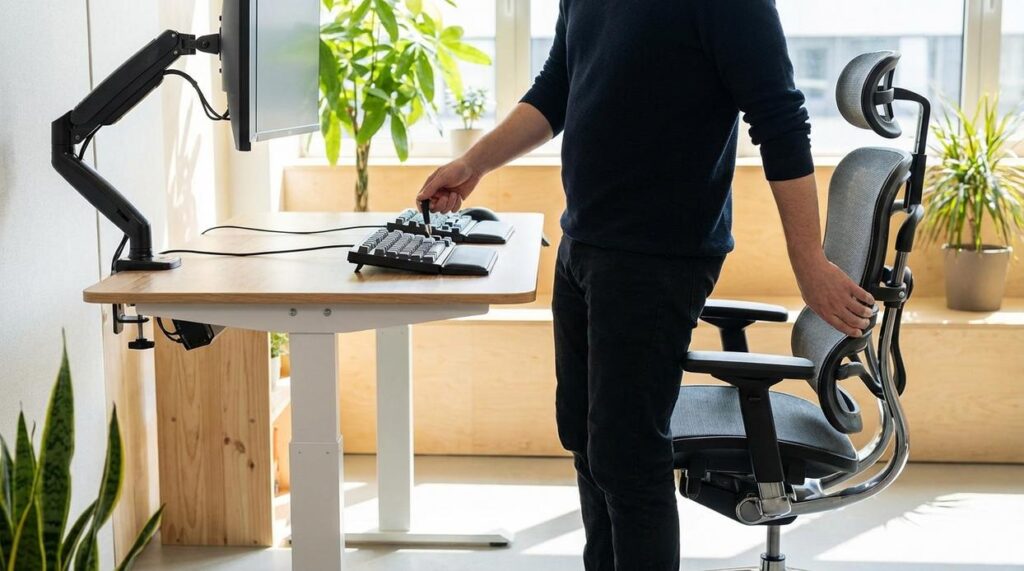
A good headrest supports the base of your skull, not your mid-neck. If it pushes your head forward, skip it. Proper alignment reduces fatigue and improves gaming chair performance impact over extended play.
The “Bucket Seat” Debate
High side bolsters are borrowed from racing seats. In cars, they stabilize drivers during sharp turns. At a desk? There’s no lateral G-force.
Still, they can reinforce upright posture. However, broader body types may feel compressed, limiting natural movement. So, unless you value containment over flexibility, moderate bolsters are the smarter choice. Comfort first. Always.
Customization is Key: Why Adjustability Defines True Ergonomics

In competitive setups—from Seoul PC bangs to Dallas esports bootcamps—adjustability isn’t a luxury. It’s survival. True ergonomics means fitting the chair to the player, not the other way around.
4D Armrests Explained
4D armrests adjust in height, width, angle (pivot), and forward/backward depth. That range matters. Height keeps shoulders relaxed instead of shrugged (goodbye, end-of-day trapezius burn). Width prevents elbows from flaring out like you’re trying to take flight. Pivot supports natural wrist angles, especially during low-sensitivity aim tracking. Forward/backward movement aligns elbows directly under the shoulders for cleaner mouse control.
Pair this with proper desk alignment and your mouse positioning improves instantly. If you’re debating peripherals, see mechanical vs membrane keyboards for competitive gaming which is better—because wrist strain isn’t just about switches.
The Recline and Tilt Mechanism
Basic tilt rocks the whole chair. Multi-function tilt locks let you fix angles independently and fine-tune tension. Big difference. Studies show increased lumbar disc pressure when sitting upright rigidly for long periods (Nachemson, 1976). Dynamic sitting—changing recline angles throughout the day—reduces spinal load and keeps circulation active. Think of it like rotating maps in scrims (you don’t grind one position for six hours straight).
Movement is the real meta.
Seat Height and Depth
Seat height should allow feet flat on the floor, knees at roughly 90 degrees. Too high? Pressure under the thighs restricts blood flow. Too low? Hips tighten. A “waterfall” seat edge slopes downward to reduce compression behind the knees, supporting healthy circulation (OSHA ergonomic guidelines).
This is where gaming chair performance impact becomes real—not marketing fluff, but measurable endurance and reaction consistency.
Gaming Chair vs. Ergonomic Office Chair: A Head-to-Head Comparison
Choosing between a gaming chair and an ergonomic office chair often comes down to aesthetics versus functionality—but the data tells a deeper story.
Gaming chairs lean into the bold “racer” aesthetic (think Formula 1 cockpit vibes). High-backed frames, bright accents, and bucket seats dominate the look. By contrast, ergonomic office chairs favor a clean, professional design suited for Zoom calls and corporate settings.
But looks aside, features matter more.
- Gaming chairs typically offer 135–180° recline angles, lumbar and neck pillows, and dense foam padding.
- Ergonomic office chairs often include breathable mesh, synchronized tilt mechanisms, and adjustable lumbar systems built into the frame.
Research from the Occupational Safety and Health Administration (OSHA) emphasizes adjustable lumbar support and seat depth as critical for long-term spinal health. Mesh-backed office chairs often outperform foam in heat regulation, according to ergonomic studies published in Applied Ergonomics.
Supporters of gaming chairs argue that extreme recline improves comfort during long sessions—and they’re not wrong. For hybrid users who stream, watch content, and value gaming chair performance impact, that flexibility matters.
However, for pure productivity setups—especially 8-hour desk shifts—an ergonomic office chair may reduce fatigue and improve posture over time.
Pro tip: If you work from home, consider where your chair will be seen. Function is vital—but optics count, too.
Comfort isn’t just nice—it’s CLUTCH. When your back is supported and your wrists aren’t screaming, you stop fidgeting like you’re waiting for a respawn timer. Proper ergonomics reduce micro-distractions, letting your brain stay locked on crosshairs instead of cramps. That gaming chair performance impact? It’s real.
Over long tournaments or marathon streams, fatigue is the silent boss fight. Better posture means steadier aim and smarter decisions deep into overtime.
And yes, injury prevention matters. Repetitive strain injuries can bench players early. Invest now, so your grind lasts longer than the loading screen. Your future hands will thank you sincerely, champ.
Ultimately, the evidence is clear: a quality gaming chair’s ergonomic benefits are tangible, reducing strain through targeted support and precise adjustability. Without it, chronic pain and fatigue quietly sabotage focus and reaction time. However, the real value isn’t the “gaming” label; it’s customization for your body and desk. Consider this snapshot:
Feature | Benefit
Adjustable lumbar | Spinal alignment
Seat depth control | Leg circulation
Looking ahead, it’s reasonable to speculate that gaming chair performance impact will become as measurable as FPS. So, evaluate your setup today and prioritize features that match your needs. Small upgrades compound into big gains.
Level Up Your Competitive Edge
You came here to understand how the right setup can elevate your gameplay—and now you know exactly how much gaming chair performance impact matters when it comes to endurance, reaction time, and consistent execution.
Long sessions, poor posture, and constant discomfort silently chip away at your focus. In competitive play, even minor fatigue can mean slower decision-making, missed mechanics, and lost matches. Optimizing your setup isn’t a luxury—it’s a competitive necessity.
Now it’s time to act. Evaluate your current chair, posture, and desk alignment. Upgrade to a performance-focused gaming chair designed for ergonomic support and long-session stability. Small adjustments today can translate into sharper aim, faster reactions, and better in-game consistency tomorrow.
Serious players don’t leave performance to chance. Join thousands of competitive gamers who optimize every detail of their setup to gain an edge. Upgrade your chair, refine your station, and start playing at the level you know you’re capable of—begin your setup optimization now.
 Glenda Josephitto is the kind of writer who genuinely cannot publish something without checking it twice. Maybe three times. They came to hot topics in gaming through years of hands-on work rather than theory, which means the things they writes about — Hot Topics in Gaming, Esports Fundamentals and Strategies, Team Meta Analysis in HCD Arenas, among other areas — are things they has actually tested, questioned, and revised opinions on more than once.
That shows in the work. Glenda's pieces tend to go a level deeper than most. Not in a way that becomes unreadable, but in a way that makes you realize you'd been missing something important. They has a habit of finding the detail that everybody else glosses over and making it the center of the story — which sounds simple, but takes a rare combination of curiosity and patience to pull off consistently. The writing never feels rushed. It feels like someone who sat with the subject long enough to actually understand it.
Outside of specific topics, what Glenda cares about most is whether the reader walks away with something useful. Not impressed. Not entertained. Useful. That's a harder bar to clear than it sounds, and they clears it more often than not — which is why readers tend to remember Glenda's articles long after they've forgotten the headline.
Glenda Josephitto is the kind of writer who genuinely cannot publish something without checking it twice. Maybe three times. They came to hot topics in gaming through years of hands-on work rather than theory, which means the things they writes about — Hot Topics in Gaming, Esports Fundamentals and Strategies, Team Meta Analysis in HCD Arenas, among other areas — are things they has actually tested, questioned, and revised opinions on more than once.
That shows in the work. Glenda's pieces tend to go a level deeper than most. Not in a way that becomes unreadable, but in a way that makes you realize you'd been missing something important. They has a habit of finding the detail that everybody else glosses over and making it the center of the story — which sounds simple, but takes a rare combination of curiosity and patience to pull off consistently. The writing never feels rushed. It feels like someone who sat with the subject long enough to actually understand it.
Outside of specific topics, what Glenda cares about most is whether the reader walks away with something useful. Not impressed. Not entertained. Useful. That's a harder bar to clear than it sounds, and they clears it more often than not — which is why readers tend to remember Glenda's articles long after they've forgotten the headline.