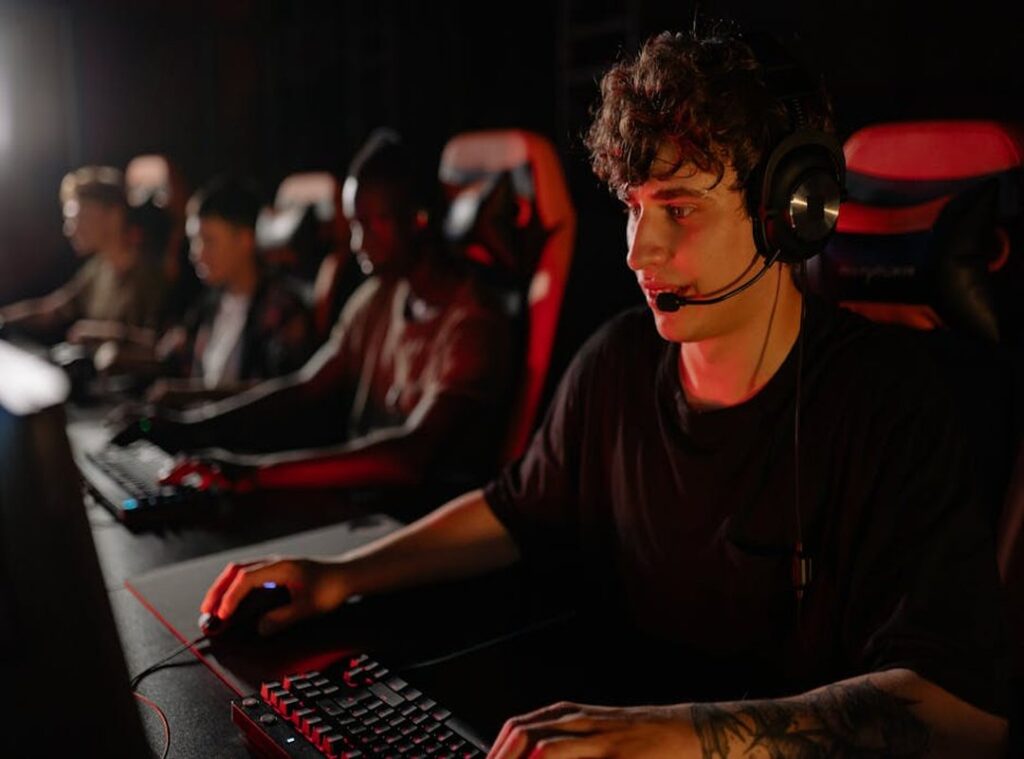
You’ve felt it, right? That stiff back, sore wrist, or strained neck after a marathon gaming session. It’s not just discomfort; it’s a straight-up performance killer.
Poor ergonomics mess with your focus and reaction time, wrecking your win streaks. I know this because I’ve spent years perfecting gaming setups for peak performance. This guide is your ticket to achieving ergonomics gaming comfort (a) game-changer for your setup.
Imagine less fatigue and more wins. Sounds good, doesn’t it? Stick with me, and I’ll show you how to transform your gaming space into a true competitive advantage.
Ready to level up?
Comfort in Gaming: More Than Just a Luxury
When you’re deep into a marathon ranked session, physical endurance is just as important as skill. Ever noticed how wrist strain or back aches can mess with your aim? It’s not just annoying; it’s a real problem.
You wouldn’t put cheap tires on a race car, right? So why game with a setup that’s slowing you down? Ergonomics gaming comfort is key.
Think about it. You’re in the middle of a heated match, and suddenly your wrist starts to hurt. Your reaction times drop, and you make silly mistakes.
Frustrating, isn’t it? It’s clear that investing in ergonomics isn’t about pampering yourself. It’s about removing physical barriers so your raw skill can shine.
And let’s not forget about nutrition and hydration. They’re key to fueling those long sessions. Check out this Nutrition Hydration Fueling Pro Gaming guide.
It’s a game-changer.
Pro tip: Upgrade your chair and mouse setup. It can make a world of difference. You’ll thank yourself later when you’re not wincing in pain halfway through a tournament.
Remember, comfort isn’t a luxury (it’s) a performance metric. Treat it like one, and watch your game improve.
Pain-Free Gaming: Master Ergonomics
“Ergonomic” isn’t just some clever marketing shtick. It’s a science. It’s about creating a setup that supports the natural contours of your body.
I discovered this the hard way after spending countless hours gaming, slumped over in whatever chair was available. My back? Not happy.
My wrists? An ergonomic disaster.
Let’s talk about this “neutral posture” you’ve probably heard about. The 90-90-90 rule. Sounds technical, right?
It just means your ankles, knees, and elbows should all be at 90-degree angles. This setup minimizes stress on your joints and muscles. You wouldn’t believe the relief this simple alignment brings (I sure didn’t until I tried it myself).
Now, those key support points. Your lower back craves lumbar support. Ignore it at your peril.
Once I embraced adjustable lumbar support, my lower back thanked me. And armrests? They’re not just there for show.
They help hold your arms’ weight, cutting down on shoulder and neck strain. I used to skip them. Big mistake.
What was I thinking?
“The Power of Adjustability” might sound like a superhero tagline, but it’s key. The best gear adapts to your body, not the other way around. I learned this the first time I adjusted my chair just right.
Suddenly, everything clicked. It’s like a custom fit suit, but for gaming.
For those diving deeper into ergonomics gaming comfort, it’s not just about comfort. It’s about enhancing your game. Quirky illustrations and pop culture nods aside, this is the real deal.
Are you ready to level up your setup?
Your Ergonomic Battlestation: A Component-by-Component Audit
Let’s get real. Comfort is king when it comes to gaming. If you’re not comfortable, you’re not performing at your best.
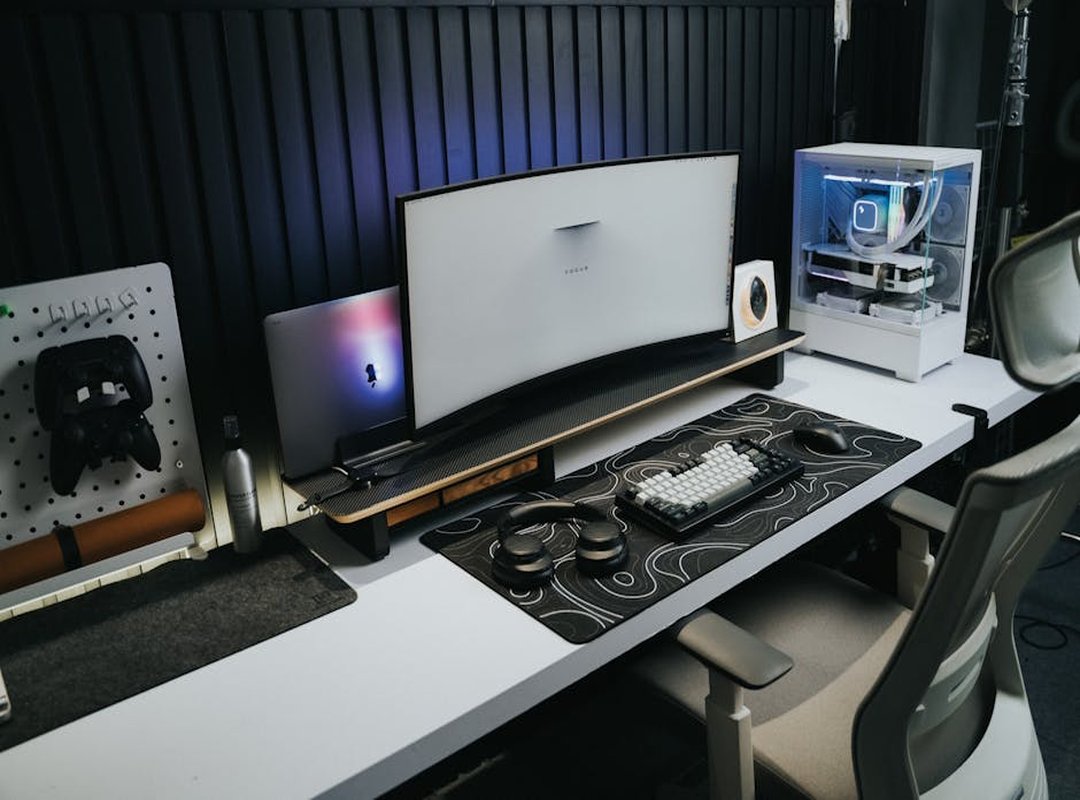
Ergonomics gaming comfort isn’t just about flashy setups. It’s about making sure every component of your battlestation works for you.
The Throne (Your Chair)
First, your chair. Forget those flashy racer aesthetics. What you need is adjustable lumbar support.
It helps keep your spine in check. Look for 4D armrests. They move up, down, forward, back, and even in and out.
Seriously, your arms will thank you. Seat depth adjustment is another must-have. And breathable materials?
A game-changer, especially during those marathon sessions.
The Command Center (Your Desk)
Next, consider your desk. Desk height is key. Your forearms should be parallel to the floor.
If they’re not, you’re inviting strain. Sit-stand desks can break up long hours of sitting. They’re the ultimate upgrade.
Trust me, once you try it, there’s no going back.
The Window to the Game (Your Monitor)
Now, let’s talk monitors. Two golden rules here. First, position the top of the screen at or just below eye level.
Second, keep it about an arm’s length away. This setup prevents eye and neck strain. Seriously, do you want to end every session rubbing your eyes or neck?
Your Weapons (Mouse & Keyboard)
Lastly, your mouse and keyboard. The mouse shape should match your grip style. Palm, claw, or fingertip.
Find what fits. Lightweight mice reduce wrist fatigue. It’s a big deal.
Wrist rests are your friends. And alternative keyboard layouts like tenkeyless or 75%? They help your shoulders relax.
Why stress them out more?
In the end, every component counts. Each piece of your setup should serve you. If you’re looking to take your setup to the next level, check out this Maximizing In Game Performance Pro Guide.
It’s packed with strategies to raise your game.
So, are you ready to audit your setup? Make these tweaks, and you’ll notice the difference. Your body will thank you, and so will your leaderboard position.
After all, why settle for less when your comfort can be maximized?
Beyond the Gear: Winning Habits for Long-Term Gaming Health
Let’s get real: gear only takes you so far. Sure, that ergonomic chair and fancy keyboard are great, but they won’t fix bad habits. You want to game for the long haul?
Focus on practices, not products.
Ever heard of the 20-20-20 Rule? It’s a pro-level tip for maintaining visual focus when gaming. Every 20 minutes, look at something 20 feet away for 20 seconds.
Sounds simple, right? But it works wonders for combating digital eye strain. Try it.
You’ll thank me when you’re not squinting at your screen like a mole.
Then there’s “Micro-Breaks and Mobility.” I swear by them. Get up between matches. Stretch.
Walk around. A couple of stretches can do wonders. For your wrists, extend your arm, palm up, and gently pull back on your fingers.
These moves are easy, effective, and can be done right at your desk.
For your back, stand up, reach for the sky, and lean side to side. Neck feeling tight? Tilt your head slowly from shoulder to shoulder.
Let’s talk posture. Are you slouching? Is your head creeping forward?
Set a timer or slap a sticky note on your monitor to remind yourself. These quick checks help build lasting habits.
Gaming isn’t just about the latest gear. It’s about ergonomics gaming comfort. Adjust your setup, but more importantly, adjust yourself.
Take care of your body, and your gaming will thank you (and you’ll get more victories).
Level Up Your Gaming Comfort Now
Gaming pain? It’s not your destiny. It’s a problem you can fix.
Your performance suffers when you ignore it, and it’s time to take action. Smart gear choices and healthy habits are your allies in this battle. Achieving ergonomics gaming comfort is about little tweaks that make a big difference.
So why wait? Change one thing now. Adjust your monitor height, fix your armrests, or set that stretch timer.
You’ll thank yourself later. Don’t let discomfort hold you back. Start today.
Your future self (and your gaming rank) will be grateful. Ready to feel the difference?
 There is a specific skill involved in explaining something clearly — one that is completely separate from actually knowing the subject. jn_volcano has both. They has spent years working with insider knowledge in a hands-on capacity, and an equal amount of time figuring out how to translate that experience into writing that people with different backgrounds can actually absorb and use.
jn_volcano tends to approach complex subjects — Insider Knowledge, Competitive Gaming Gear Reviews, Pro-Level Gaming Optimization Tips being good examples — by starting with what the reader already knows, then building outward from there rather than dropping them in the deep end. It sounds like a small thing. In practice it makes a significant difference in whether someone finishes the article or abandons it halfway through. They is also good at knowing when to stop — a surprisingly underrated skill. Some writers bury useful information under so many caveats and qualifications that the point disappears. jn_volcano knows where the point is and gets there without too many detours.
The practical effect of all this is that people who read jn_volcano's work tend to come away actually capable of doing something with it. Not just vaguely informed — actually capable. For a writer working in insider knowledge, that is probably the best possible outcome, and it's the standard jn_volcano holds they's own work to.
There is a specific skill involved in explaining something clearly — one that is completely separate from actually knowing the subject. jn_volcano has both. They has spent years working with insider knowledge in a hands-on capacity, and an equal amount of time figuring out how to translate that experience into writing that people with different backgrounds can actually absorb and use.
jn_volcano tends to approach complex subjects — Insider Knowledge, Competitive Gaming Gear Reviews, Pro-Level Gaming Optimization Tips being good examples — by starting with what the reader already knows, then building outward from there rather than dropping them in the deep end. It sounds like a small thing. In practice it makes a significant difference in whether someone finishes the article or abandons it halfway through. They is also good at knowing when to stop — a surprisingly underrated skill. Some writers bury useful information under so many caveats and qualifications that the point disappears. jn_volcano knows where the point is and gets there without too many detours.
The practical effect of all this is that people who read jn_volcano's work tend to come away actually capable of doing something with it. Not just vaguely informed — actually capable. For a writer working in insider knowledge, that is probably the best possible outcome, and it's the standard jn_volcano holds they's own work to.